We’ve introduced a brand new Payment Requests feature, enabling our users to send simple one-time payment requests to a Contact or email address.
Sometimes you need to request money from a client or customer, but don’t necessarily need to use our full Invoicing feature. Our new Payment Requests product enables you to quickly create and send a simple one-time payment request and collect a bitcoin or fiat payment using our hosted Checkouts.
How to Create and Send a Payment Request
This short article explains the quick and easy process of creating a new Payment Request and sending it to a Contact or email address.
Creating a Payment Request
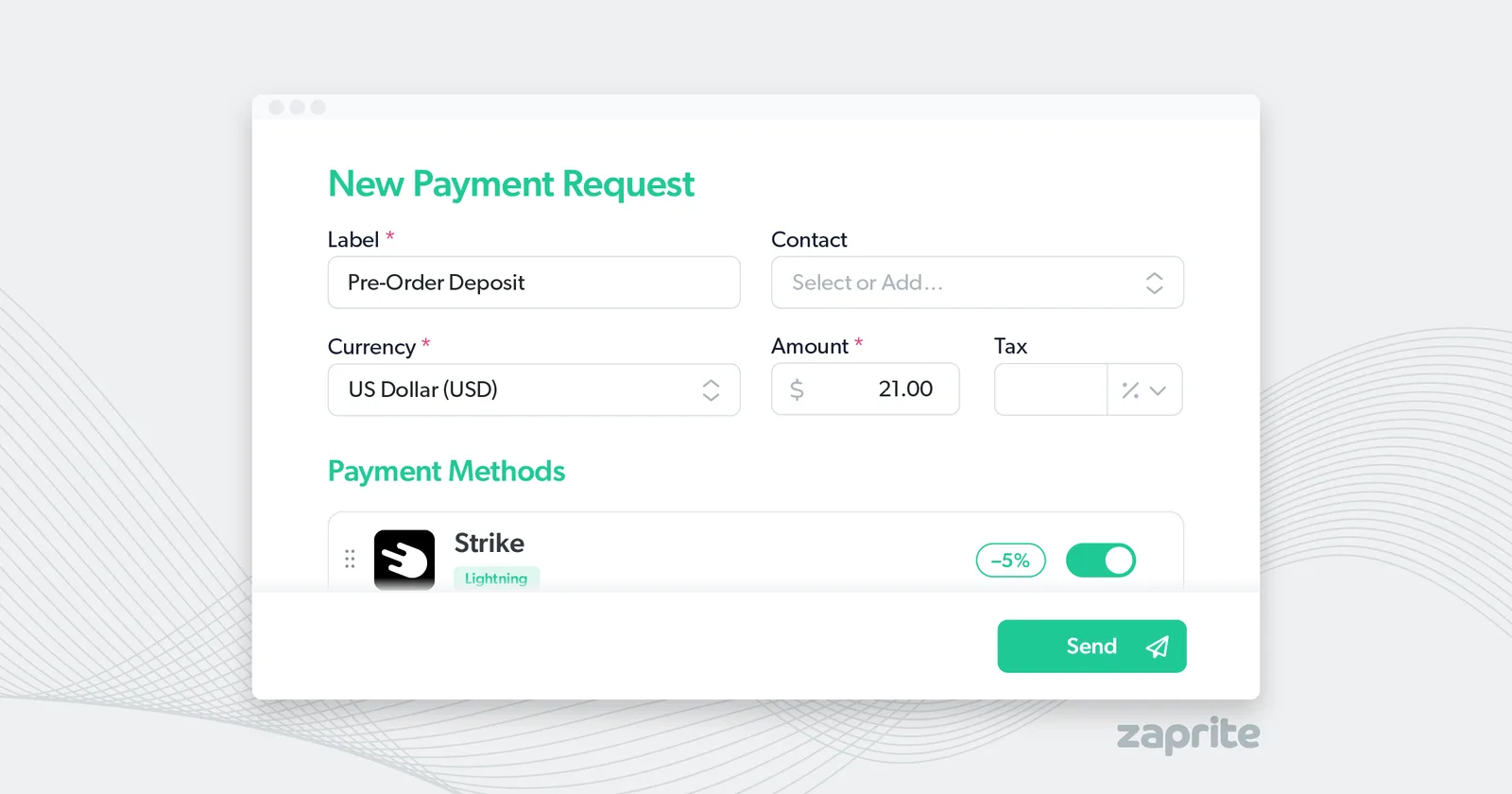
In the main navigation area, click the Payment Requests tab, then click New Payment Request. Alternatively, you can click the Quick Menu ([+]) and then Payment Request.
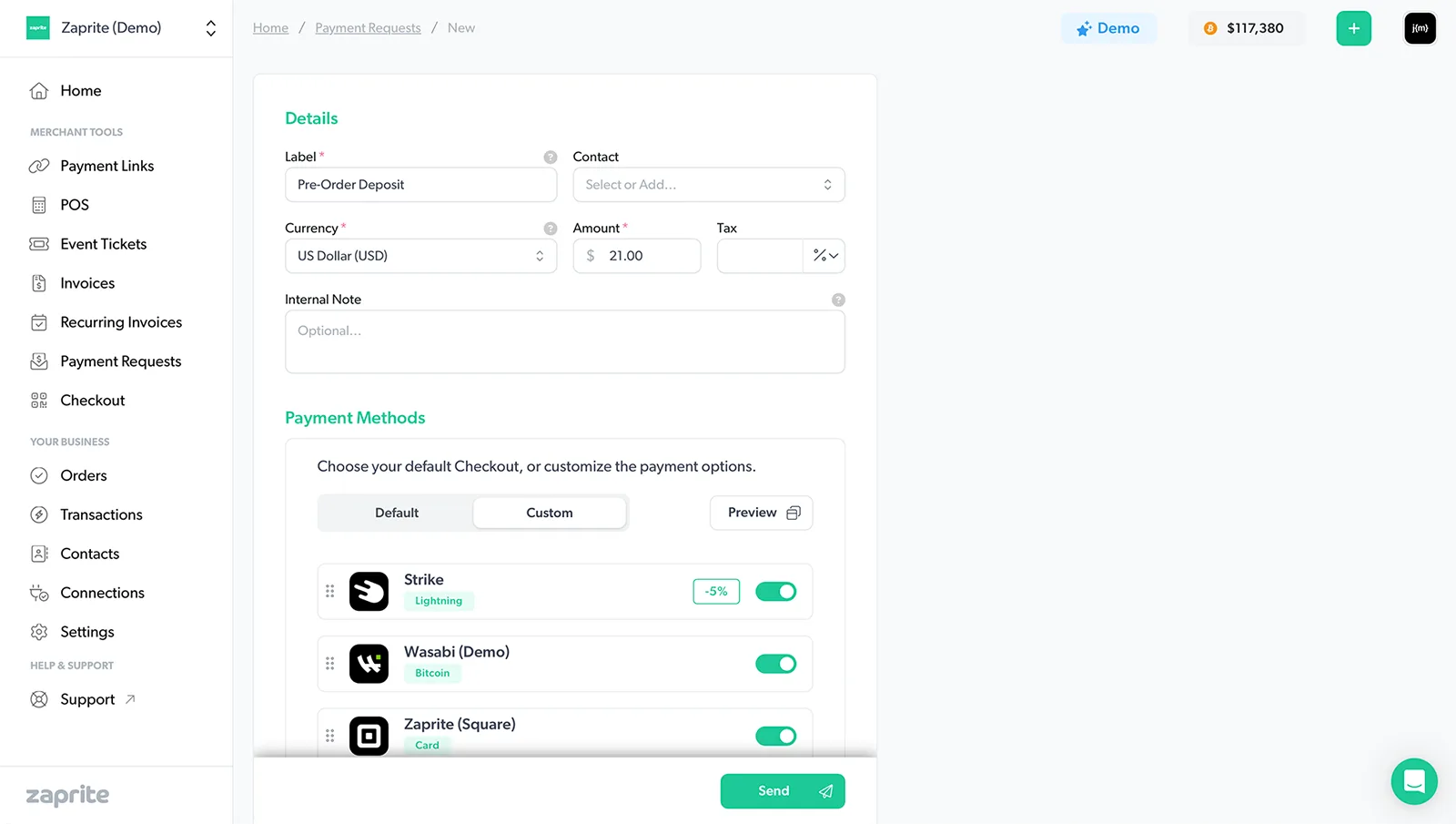
Creating a new Payment Request in Zaprite.
The only details required on a Payment Request are:
- Label
- Currency
- Amount
- Payment Method(s)
You can optionally add:
- Contact
- Tax (%)
- Internal Note
Sending a Payment Request
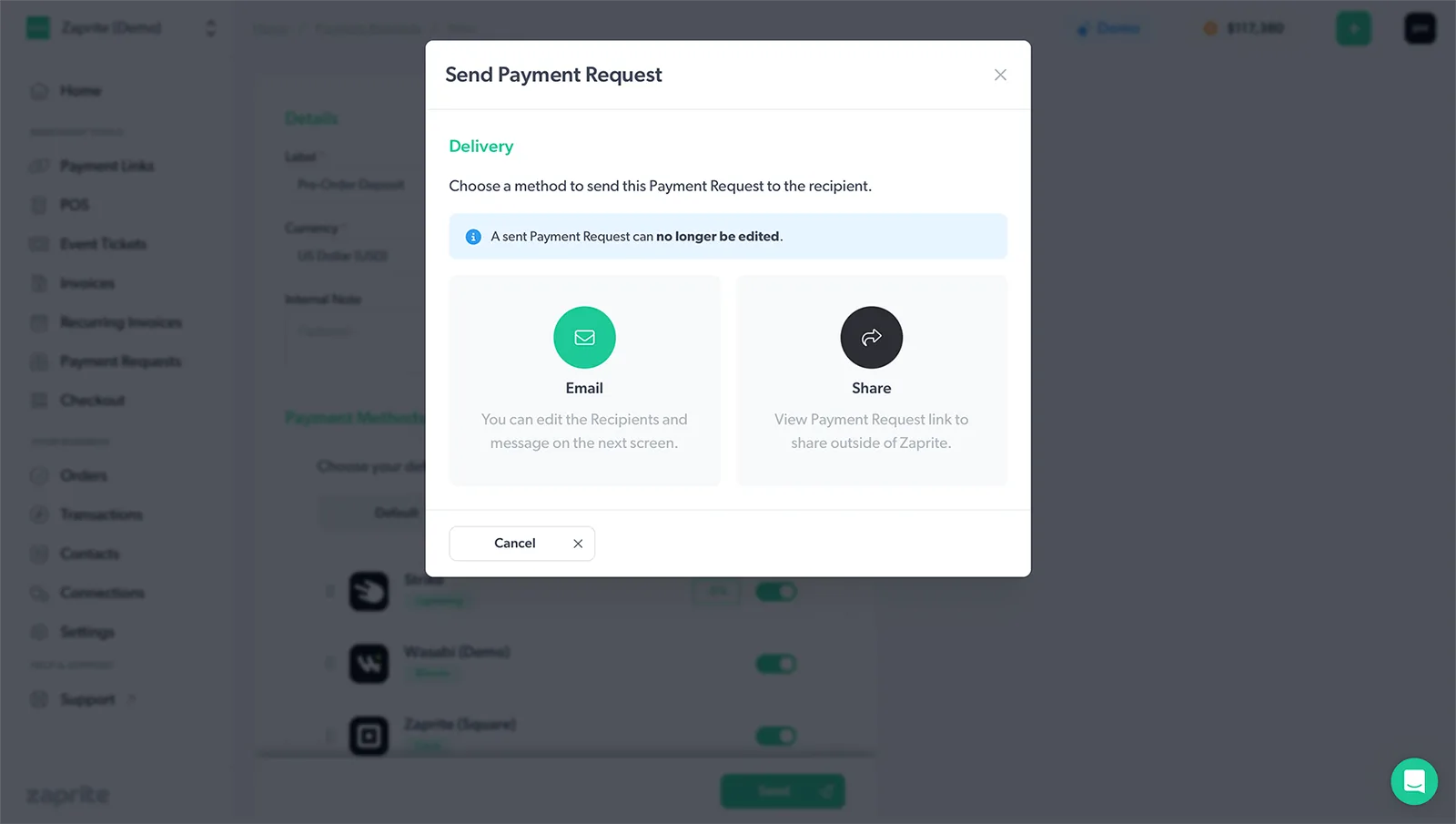
Choose your preferred method to send the payment Request.
Once you’re ready to send, you can either Email the Payment Request or copy the URL to Share outside of Zaprite.
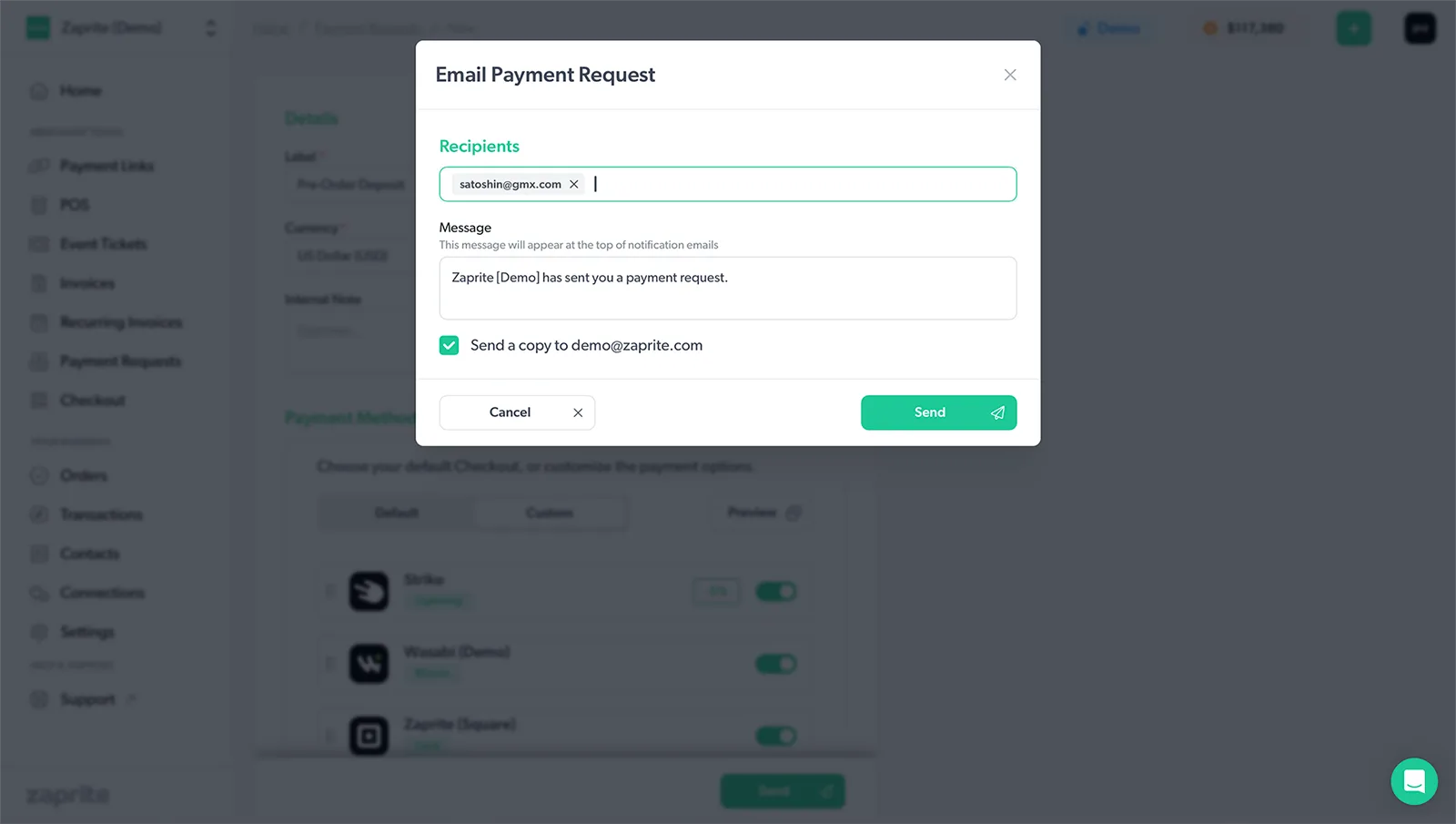
Add the Recipient(s) and optionally edit the message when emailing your customer.
If you select Email and have added a Contact, their email address will be pre-populated and you can optionally add additional Recipients. If you choose Share, you will be presented with the Checkout URL that you can copy and send to your customer outside of Zaprite.
Paying a Payment Request
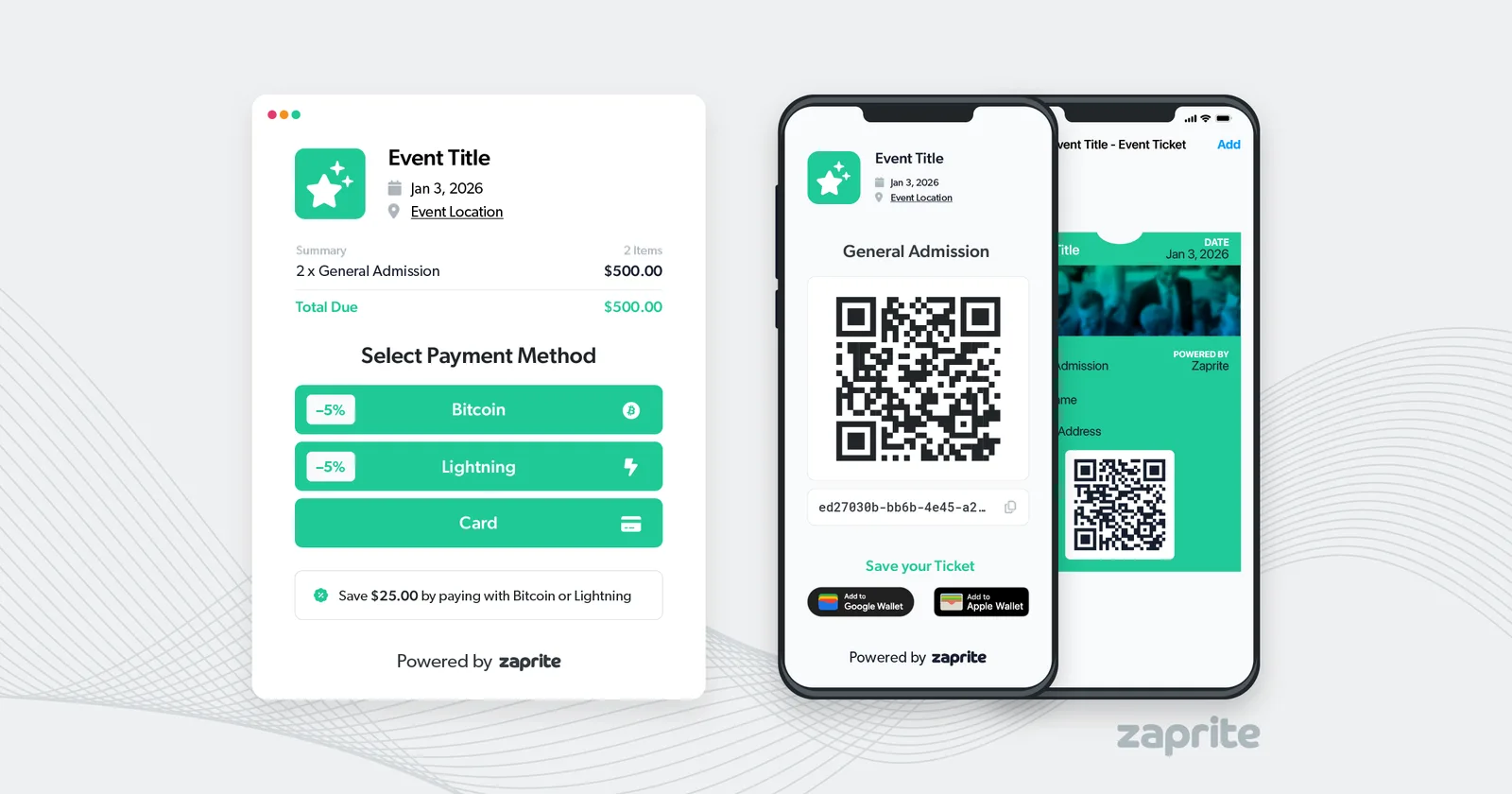
When your customer visits the Payment Request URL, they will be presented with our regular Checkout flow.
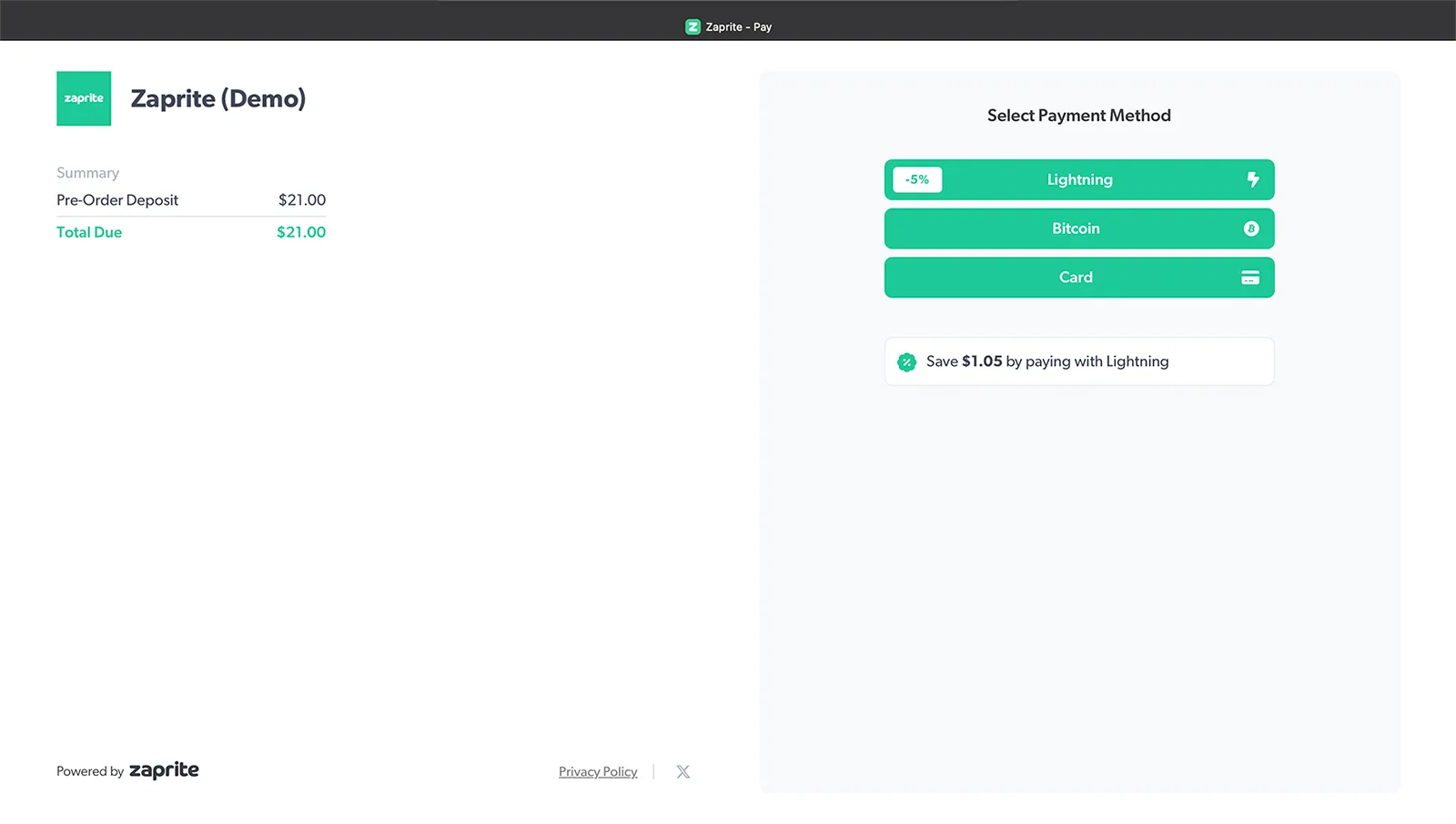
A Zaprite Payment Request Checkout.
They can choose any of the Payment Methods you enabled while creating the Payment Request and can proceed to pay as normal. Once they have paid you will receive an email notification of the completed Order.
How-To Guide
Note: A video version of this guide is also available.
Help & Support
If you run into any issues using our Payment Requests, or have general questions about using Zaprite, feel free to reach out at https://help.zaprite.com.